Lyrics import and song orders
Import plain text, ChordPro or OpenLyrics files, or type a song in the editor. Save orders like Verse 1, Chorus, Verse 2, Chorus, and each section gets its own color.

Home Web development Selah Screens
Selah Screens · Mac app
Selah Screens is a Mac app for Sunday services. Build the running order once, then run the projector, the stage monitor and the livestream from the arrow keys, from the first song to the last announcement.
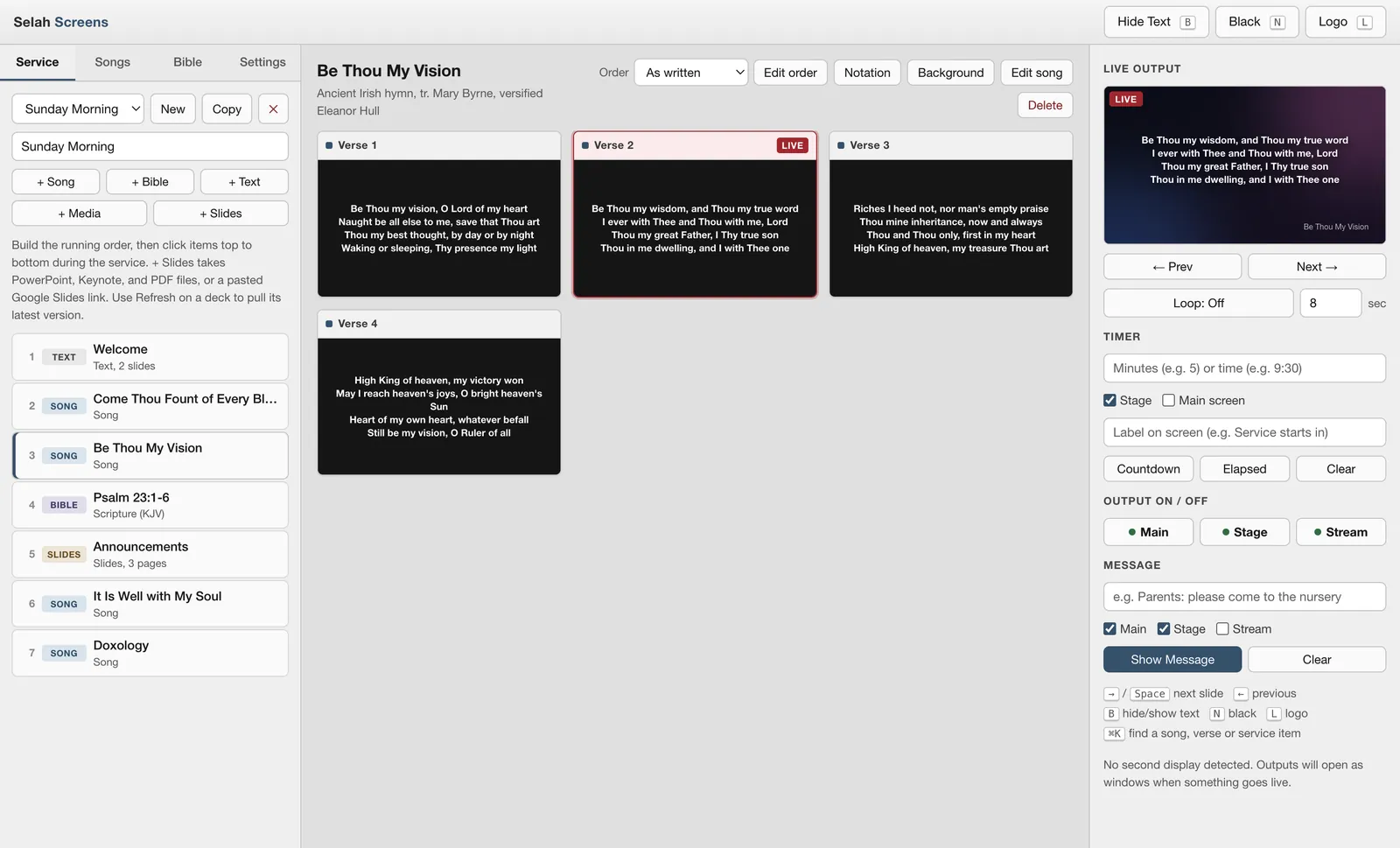
The setup
The operator works in one window. The projector, the stage monitor and the livestream each get their own output, and they all follow the same live slide.
How a Sunday runs
Most worship software expects a trained operator. Selah Screens is built around a running order, so the person at the laptop only has to follow it.
Add songs, scripture, typed welcome slides, images and videos, and slide decks in the order they happen. Copy last week's service to start the next one.
Assign the projector, stage monitor and stream to their displays in Settings. From then on they open there by themselves, with no setup on Sunday morning.
Past the last verse of a song, the next press moves straight into the next item. Going back from the first slide takes you to the last slide of the item before.
The screens
Real screenshots from the app, using the hymns and Bibles it ships with.
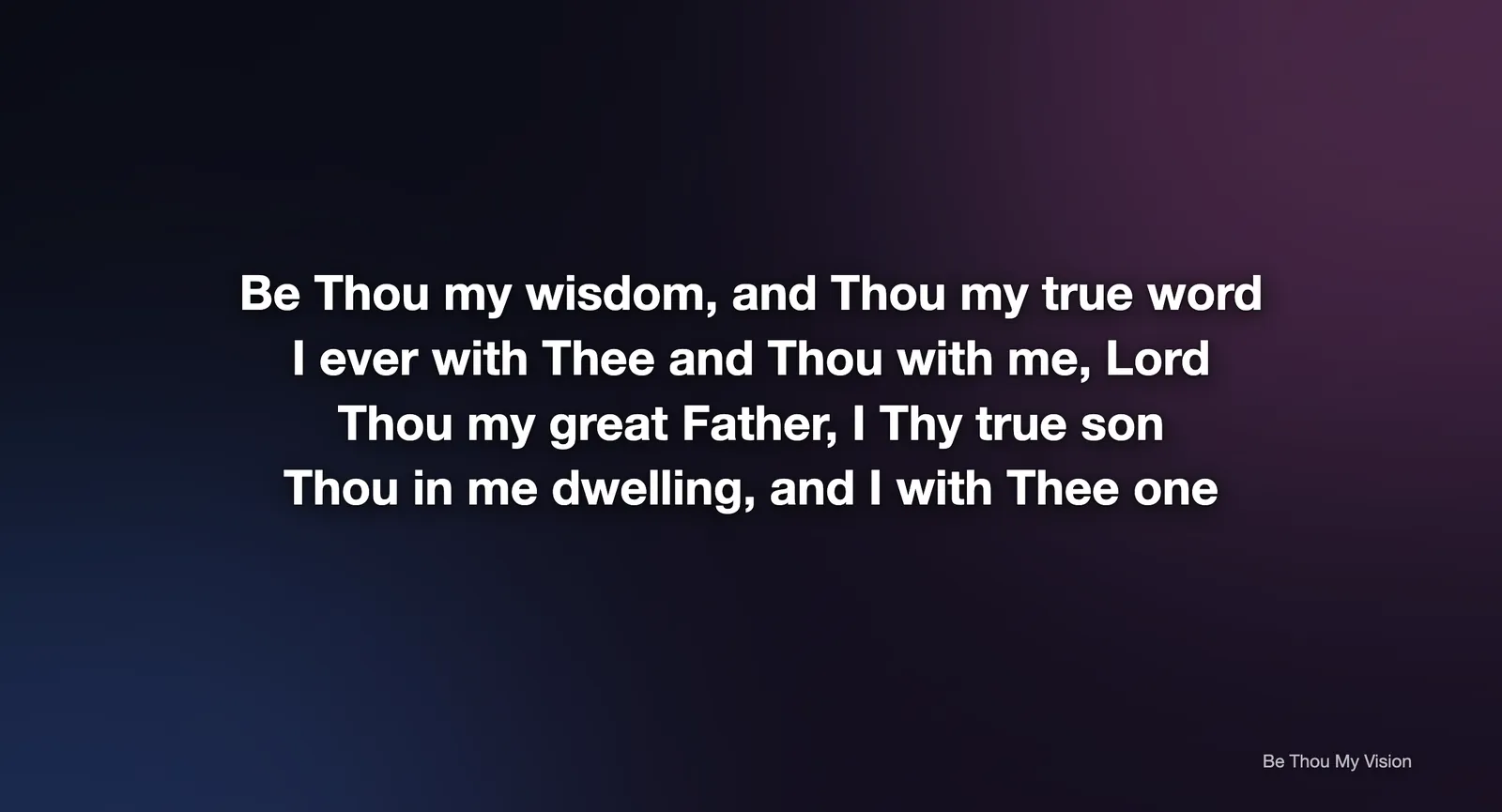
Main output · projector
Every verse and chorus becomes its own slide. Set the font, size, shadow and lines per slide once, and every song follows it. Pick an image or video loop as the default background, or give one song its own.
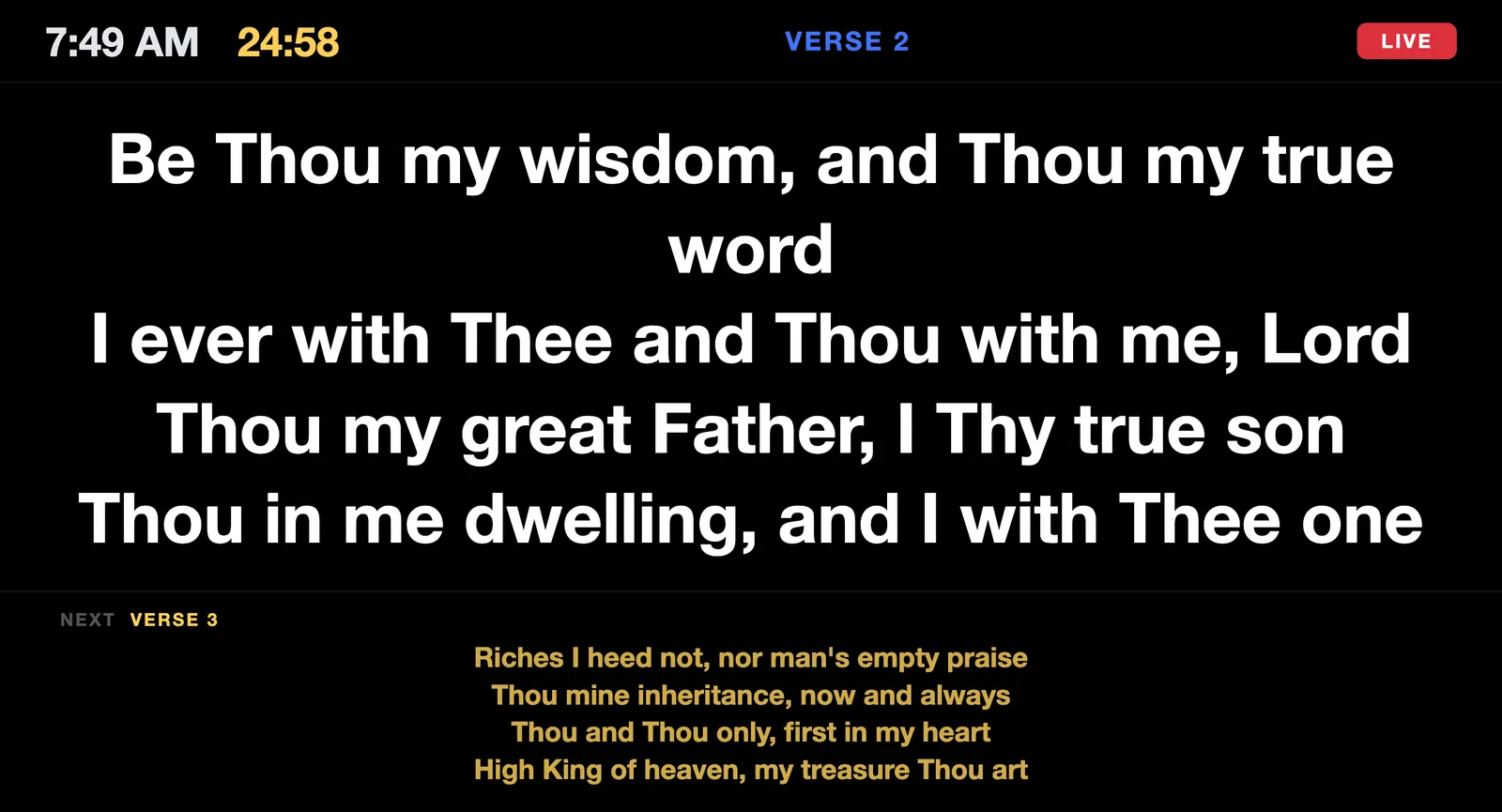
Stage display · confidence monitor
The stage display shows the current slide large, the next one in yellow underneath, the time, and a badge for what the room actually sees: Live, Media, Text hidden, Black or Logo. It keeps showing the words even when the main screen is blank.
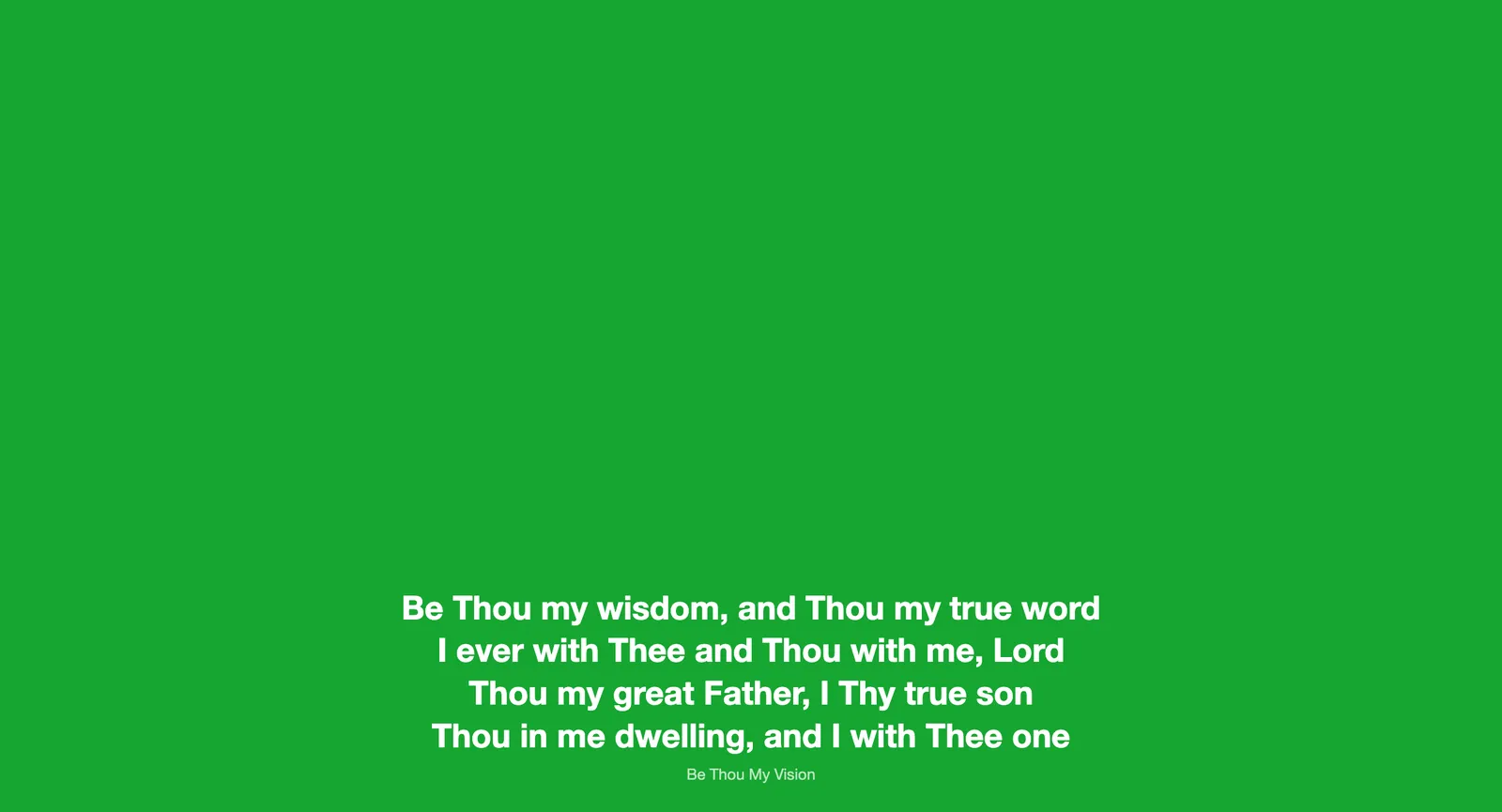
Stream output · lower thirds
The stream output is a separate window that shows lyrics and scripture as a lower third and nothing else. Capture it on black, or pick a green or blue background: the band, shadow and outline switch off by themselves, leaving plain white text on a flat color.
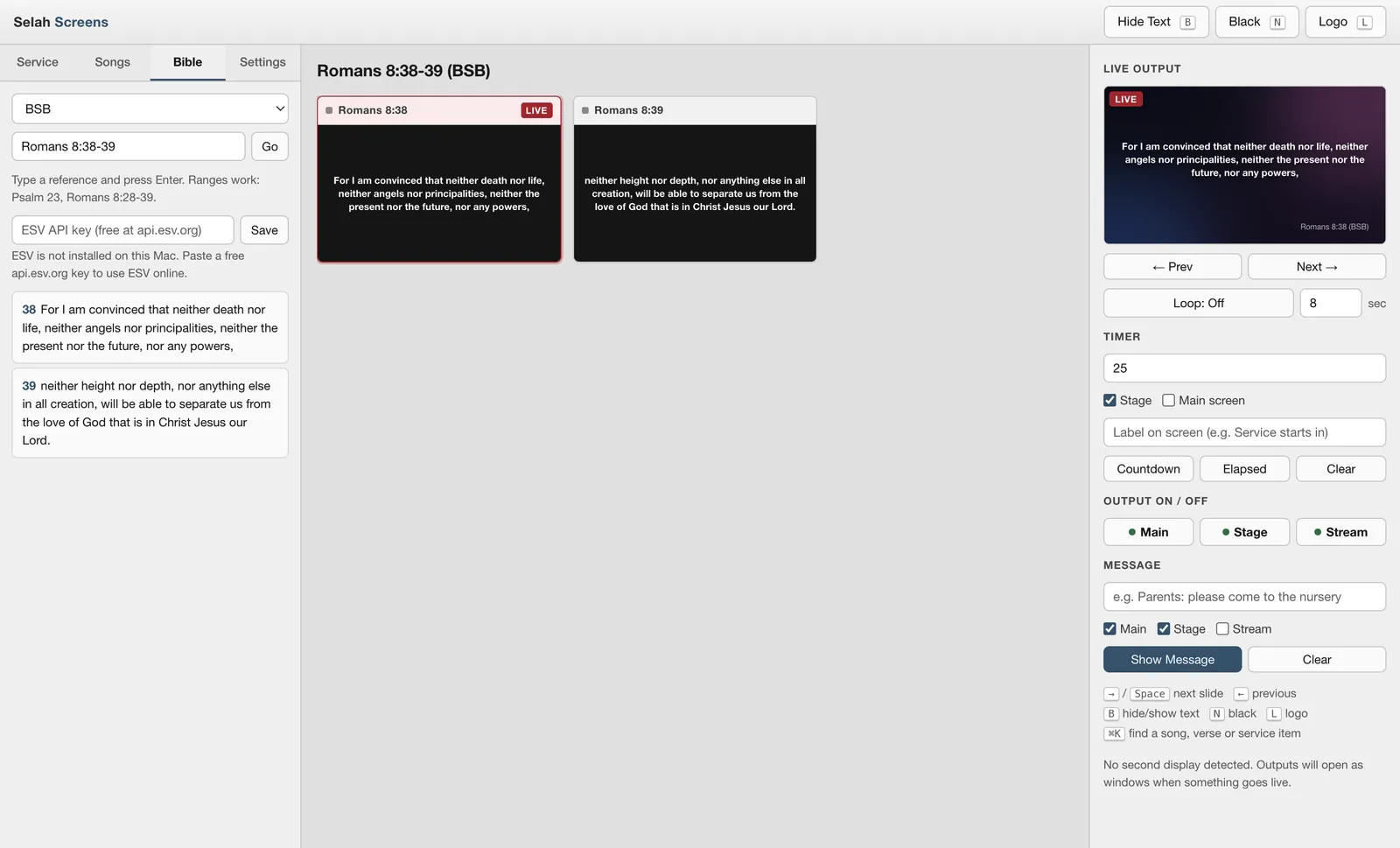
Bible · works offline
Type John 3:16-18 or Psalm 23 and each verse becomes a slide straight away. KJV, ASV and BSB are stored in the app, so nothing needs to download during the service. ESV works online with your own free key from api.esv.org.
Slide decks · display settings
Add a PowerPoint, Keynote or PDF file, or paste a Google Slides link, and every page becomes a slide. The deck remembers where it came from, so Refresh pulls in the latest edits without rebuilding the service.
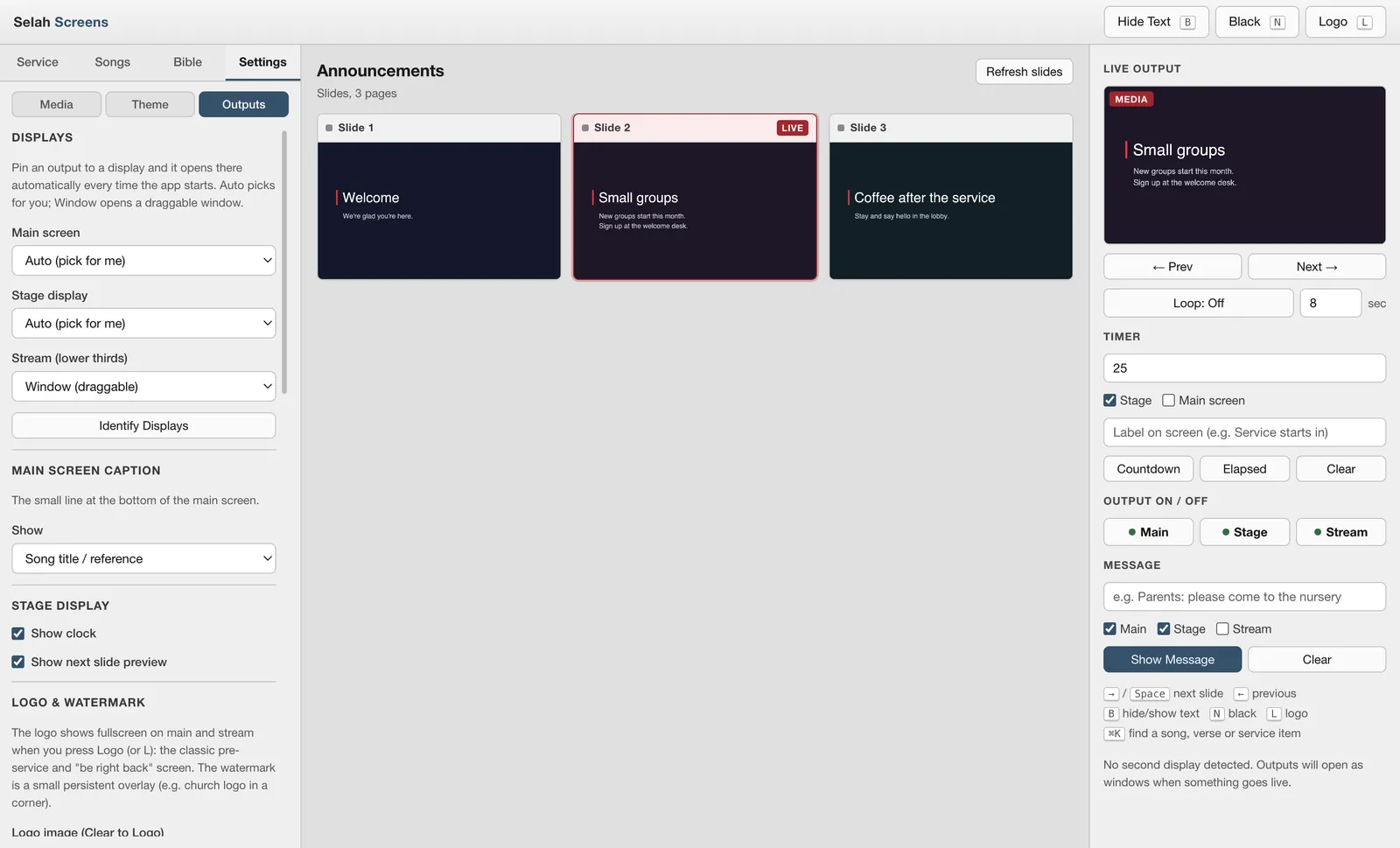
Live controls
Down, Page Down and Page Up work too, which is what most presentation clickers send.
Also included
Import plain text, ChordPro or OpenLyrics files, or type a song in the editor. Save orders like Verse 1, Chorus, Verse 2, Chorus, and each section gets its own color.
Count down a number of minutes or to a clock time, like 9:30. Show it big on the projector with your own label before the service, or only on stage. Send a message to any mix of screens.
Use images and video loops behind the words, or play one fullscreen on every output at once. Video sound plays from the main output only.
Attach a notation image to each section of a song. Those slides show it on a white band on the main screen, a large card on stage and a band on the stream, each switchable.
Each output has its own on and off button. Off blacks it out instantly and mutes any video. On brings it straight back to whatever is live.
Songs, services, settings and media live in a folder on the Mac, with the song library in a plain JSON file you can back up. Each install keeps its own.
Remote control
A small HTTP API built into the app. Any button that can open a web address can drive it.
Turn it on in Settings, Outputs. It listens on port 7777 and only answers the Mac itself until you tick the option to allow other devices on the network.
/v1/status returns the live state as JSONGET http://your-mac:7777 /v1/next /v1/previous /v1/blank /v1/black /v1/clear /v1/logo /v1/message?text=...&main=1&stage=1 /v1/message/clear /v1/timer/countdown?minutes=5 /v1/timer/elapsed /v1/timer/clear /v1/status
Where it stands
Selah Screens is packaged as a universal Mac installer that runs on Apple Silicon and Intel Macs. It isn't notarized by Apple yet, so we aren't offering a public download. If it sounds right for your church, get in touch and we'll show it to you.
The 16 bundled hymns are old enough to be in the public domain. Lyrics to newer songs are copyrighted on their own, which is what church licensing covers, so you import the songs your church is licensed for, for example a ChordPro or text export from CCLI SongSelect.
Under the hood
Built by WT Digital Consulting as our own product. Need a desktop app of your own? See our web development work.
Questions
Not yet. Selah Screens is at version 1.0 and the Mac installer isn't notarized by Apple yet, so there is no public download. If you'd like to try it at your church, get in touch and we'll talk it through.
It ships with 16 public-domain hymns, including Amazing Grace, It Is Well with My Soul and Be Thou My Vision. Song lyrics are copyrighted even without the music, so contemporary songs are not included. Your church imports the songs it is licensed to use, for example a ChordPro or text export from CCLI SongSelect.
No. Songs, slides, media and the KJV, ASV and BSB Bibles are all stored on the Mac. You only need a connection to import a Google Slides link or to use the ESV online with your own free key from api.esv.org.
Yes. Turn on the remote API in Settings, then point a button at an address like http://your-mac:7777/v1/next. It is off by default and only answers the Mac itself until you tick the option to allow other devices. There is no password, so only allow other devices on a network you trust.
Yes. The stream output is its own window that shows lyrics and scripture as a lower third. Capture it on black, or choose a green or blue background and the band, shadow and outline turn off automatically so the key stays clean. Photos and videos on the main screen never appear on the stream.
No. Selah Screens is a Mac app. The installer is a universal build, so it runs on both Apple Silicon and Intel Macs.
Interested?
Book a 20-minute call. Tell us how many screens you run, whether you stream, and who runs the slides on Sunday, and we'll show you the app and tell you honestly whether it fits.
me[at]wesleetrout[dot]com